FreeA Chrome extension for ChatGPT and Claude
Get paid while your AI thinks.
Make your downtime sweeter. When ChatGPT takes a while to answer, a little bee offers a one-minute survey. Finish it before the reply lands and get paid.
- Never reads your chats
- No account needed to start
- Pause any time

- 75%
- of what brands pay goes to you
- $0.50
- minimum for any finished survey
- $30
- an hour, at least, for your time
- 60
- seconds, about, per survey
Hourly minimum is worked out from each survey’s estimated time. Amounts are in US dollars.
How it works
Three steps. About a minute each time.
No feeds to scroll and no points to collect. Beewhile only shows up in the moments you’d spend waiting anyway.
 1
1Add Beewhile to Chrome
Install it and turn it on. A small bee settles into the corner of ChatGPT. Drag it anywhere you like.
 2
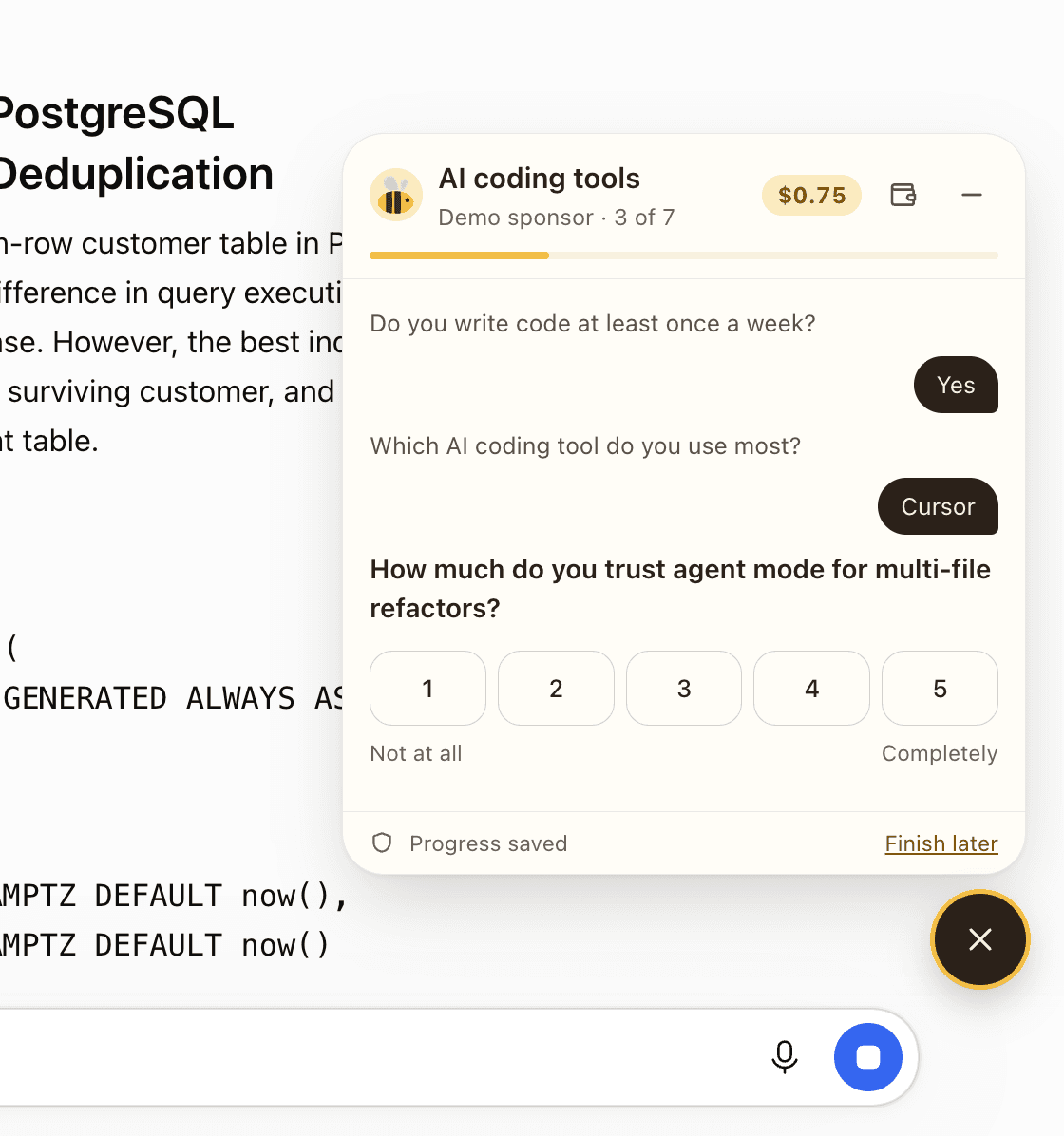
2Ask your AI something big
When a reply takes more than a few seconds, the bee offers a short survey with the payout shown up front.
 3
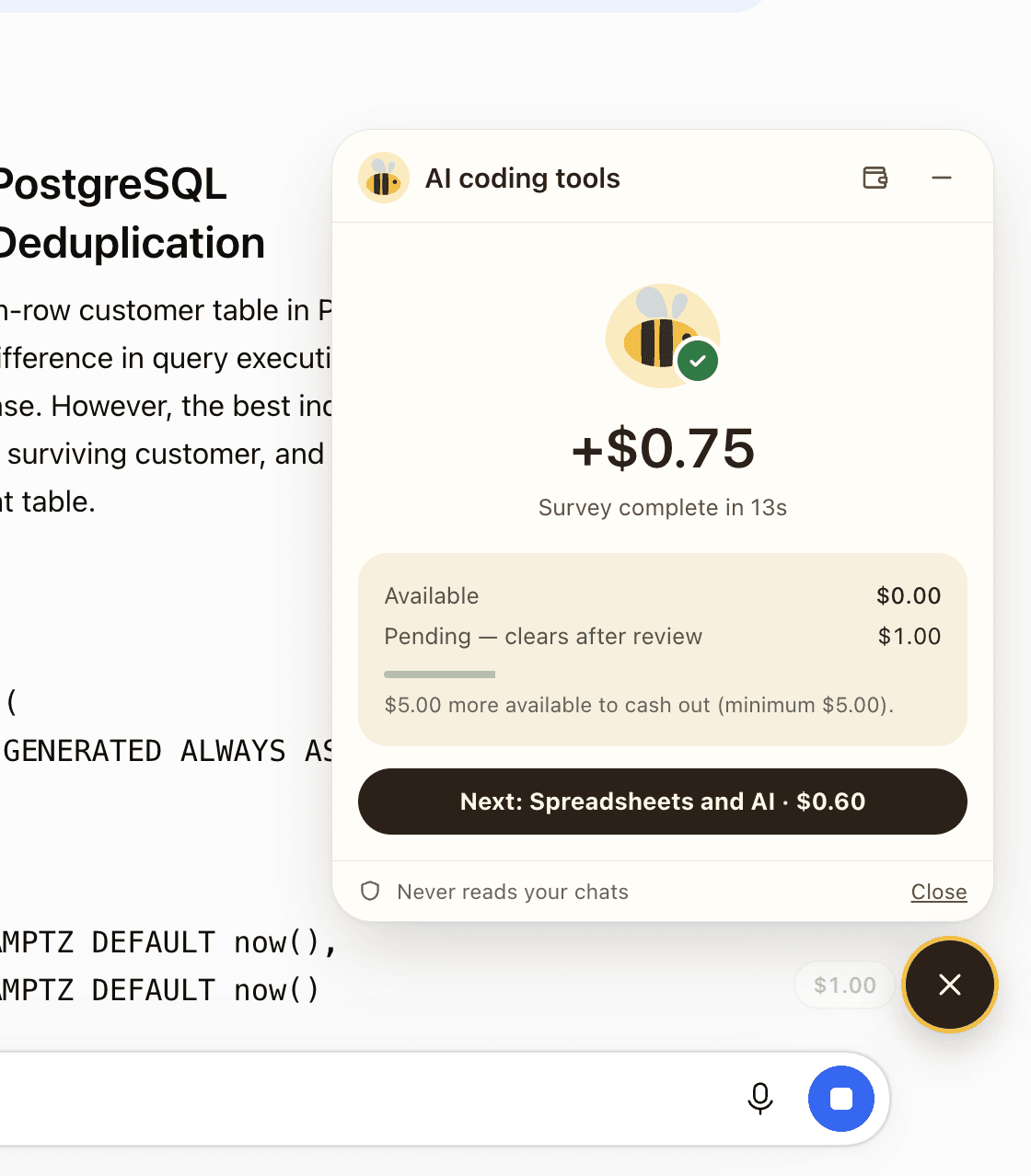
3Answer in the wait, get paid
Tap through a few questions before the answer lands. Your earnings are credited the moment you finish.


Try one now
This is the whole survey.
The real widget, running on this page. Tap or use the number keys. Nothing here is saved or paid; on ChatGPT the same survey earns $0.75.
Questions
Good questions to ask.
Why would a brand pay for my opinion?
Companies building for people who use AI want to hear from them directly, and a one-minute survey from someone who actually uses ChatGPT is worth paying for. You keep 75% of what the brand pays for your answers, and you see the amount before you start.
Does Beewhile read my chats?
The extension never reads, stores or sends the text of your prompts or the AI’s replies, and never sees your account. The only words it sends are the survey answers and profile answers you choose to give. If you import your profile from your AI assistant, you copy and paste that text yourself on your Beewhile account page; the extension never takes it from the AI site.
What does it notice, then?
To know when you are waiting, the extension checks whether the stop button is showing, when a request starts and ends, and whether the latest reply is still changing. It records how long each wait lasted.
Which AI sites does it work on?
ChatGPT and Claude. The bee only appears on those sites, and only offers a survey while a reply is still being written.
How and when do I get paid?
Each survey shows its payout up front and is credited when you finish. New earnings are held for a short review, then become available to cash out from $10. Cash-outs are opening soon: your balance builds from your first survey, and we’ll tell you as soon as you can withdraw it.
What if a survey isn’t a match for me?
The first question checks whether a survey is for you. If it isn’t, you get a small thank-you ($0.10) and move on.
Do I need an account?
No. Install the extension and turn it on; your earnings are kept from the first survey. Add an email later, when you want to cash out.
Can I pause it or move it?
Pause survey offers from the wallet, drag the bee anywhere on the page, or switch the extension off on Chrome’s Extensions page.
Make your downtime sweeter.
Free, private, and out of your way until there’s time to kill.
Want answers from people who use AI every day? Beewhile for brands